Vidix-AI Photo Video Generator
- 4.2
- Rating
- 10.00M
- Installs
- Free
- Price

 Analysis by App-foxy
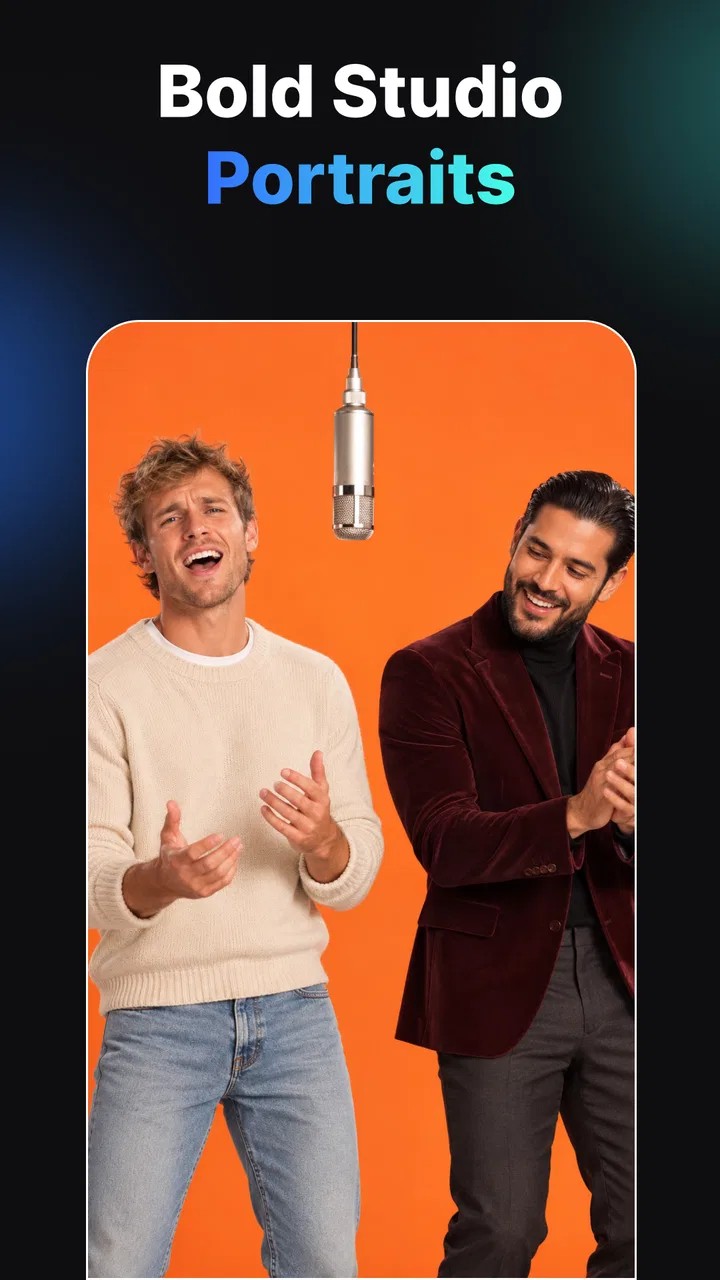
I approached Vidix-AI Photo Video Generator as a practical creative tool rather than a replacement for a full editing suite. It sits in the Art & Design category and focuses on turning ordinary images and short creative ideas into stylized AI photos and videos. The appeal is immediate: instead of building an effect frame by frame, I can start with a picture, choose a visual direction, and see how an automated treatment changes its mood.
That simplicity is also the app’s main challenge. AI results can look exciting one moment and oddly inconsistent the next, especially when a face, hand, background, or small object matters. My overall impression is that this is best used for quick social content, playful experiments, profile images, mood boards, and visual ideas—not for demanding professional work where every detail must remain under precise control.
How I use Vidix-AI from a normal photo to a finished idea
The most sensible starting point is to choose a source image with a clear subject. A well-lit portrait, a product photographed against a simple background, or a landscape with an obvious focal point gives the AI less visual confusion to resolve. When I begin with a cluttered image, the style can compete with the subject instead of improving it.
You May Also Like

 AccuWeather: Weather Radar
AccuWeather Review: A Quick, Clear Forecast for Everyday Decisions
For everyday plans, the best forecast is the one you can understand quickly. AccuWeather makes rain timing, radar, and local conditions easy to act on, with a few trade-offs.

 Hill Climb Racing
Why Hill Climb Racing Still Turns Crashes Into One More Run
A tiny car, a bumpy hill and one more upgrade: Hill Climb Racing keeps resurfacing because its simple chaos makes every near-miss feel personal.

 AliExpress - Shopping App
AliExpress Makes Global Shopping Feel Personal, but Shoppers Bear the Risk
AliExpress turns a global marketplace into a pocket-sized discovery engine. Its reach is useful, its shopping loop compelling, and its trade-offs easy to miss.

 Lords Mobile: Kingdom Wars
Lords Mobile Is a Kingdom-Building Routine, Not a Quick Match
A case-by-case verdict on the building, battles, device demands, and social commitments that make Lords Mobile rewarding for some players and exhausting for others.

 PDF Scanner app - TapScanner
TapScanner Makes Paperwork Easier to Capture, Check, and Share
TapScanner makes scanning with a phone feel less like a rescue operation and more like a dependable step in getting work done. Its capture tools are useful, though not flawless.

 Block Blast!
 Shows How Much a Puzzle Game Can Leave Out
A quiet grid game shows why puzzle players increasingly value instant clarity, repeatable skill and low-pressure play—and where the genre still needs to catch up.
More From Our News Desk
View All News


My baseline workflow is deliberately short. I select an image, explore the available filters or effects, compare the visual treatments, and then decide whether the result is worth keeping. For video, I think of the original image as the foundation rather than expecting the app to create a complete story automatically. A strong starting frame usually produces a more convincing result than trying to rescue a weak photograph with a dramatic effect.
This approach makes the app useful for everyday situations. If I am preparing a birthday post, I can test a few colorful treatments on a family photo and choose the one that feels lively without spending time in a desktop editor. If I am planning a small design project, I can use a portrait or object photo to explore an artistic direction before committing to a more controlled workflow elsewhere.
I also found it helpful to judge the result at normal viewing size first. Enlarging every detail immediately can make minor AI imperfections seem more important than they are, while viewing only a tiny preview can hide obvious problems. I look at the overall composition, then inspect the face, hands, text-like elements, and edges before deciding whether the image is ready to share.
The app’s free price makes this experimentation easy to begin. It is available for users whose device runs Android 7.0 or later, and its Everyone content rating makes it approachable for a broad audience. That does not mean every generated result will suit every audience, of course; I would still review an image myself before posting it publicly, especially when the source includes children, personal photographs, or recognizable places.
Choosing the right source matters more than chasing effects
A common mistake with AI photo apps is assuming the style does all the work. In my experience, the source image has a larger influence than the most attractive effect thumbnail. A face turned sharply away, a dim indoor shot, or a subject partly hidden behind another object gives the generator fewer reliable details to work with.
For portraits, I prefer a single clear subject and enough space around the head and shoulders. For objects, I use a clean background and avoid reflections when possible. For landscapes, I look for a strong horizon or a recognizable foreground. These are not complicated rules, but they make comparisons between styles much more meaningful.
There is another useful habit: I keep the original image separate from the edited result. AI transformations are exploratory, and I may later prefer a subtler version or want to try a different direction. Treating each result as a new experiment prevents one disappointing output from affecting the source material.
Settings and choices that deserve a careful look
Vidix-AI is most comfortable when I make one visual decision at a time. If I change the source, style, and intended format together, it becomes difficult to understand why one result worked better than another. I first settle on the image, then compare effects, and only afterward think about whether the result is better suited to a photo post, a short video, or a design reference.
The 3D-oriented art styles deserve particular attention. They can add depth and a more obviously generated look, which is useful when I want something playful or futuristic. They are less suitable when I need the subject to remain natural. A realistic portrait can lose its personality when the treatment pushes facial structure too far, so I use these styles for experimentation rather than faithful representation.
Filters are easier to judge when I compare them against the purpose of the image. A strong effect may work for a poster-like visual but feel distracting in a personal portrait. A softer treatment may look less impressive in a preview yet remain more usable as a profile image. I try not to select the most dramatic option simply because it is the first one that catches my eye.
Before accepting a result, I check whether the app is asking me to continue through a paid option. Vidix-AI is free to install and use in its basic form, but in-app purchases range from $29.99 to $49.99 per item. That is a significant consideration for casual users. I would not begin a creative session assuming every appealing treatment is included at no cost; I would first establish which part of the workflow is available without payment and whether the result is genuinely useful to me.
This pricing structure changes how I evaluate the app. Someone who only wants occasional novelty images may find the free experience sufficient, while a frequent creator should think carefully before building a repeatable workflow around effects that may require a purchase. I would also avoid treating a preview as proof that the final result will justify the expense. The value depends on how consistently the style fits the kind of content I make.
Repeatable habits make the results more manageable
Experienced use is less about pressing every available option and more about creating a small routine. I keep a short selection of source images that already have good lighting and clear subjects. When I want a new visual, I test the same image across a few contrasting styles instead of changing everything at once. This gives me a personal reference for which treatments preserve faces, objects, or backgrounds most convincingly.
Another efficient pattern is to make a decision in two passes. In the first pass, I reject results with obvious structural problems. In the second, I compare the survivors for mood, color, and suitability to the intended platform. This prevents me from spending time polishing an image that has a distracting face or distorted object at its center.
For a social post, I might create one expressive image and one restrained alternative. The expressive version can attract attention, while the restrained one is more likely to remain readable beside captions or other content. This is a better use of the generator than producing many nearly identical variations without a clear purpose.
I also recommend naming or organizing saved results by the idea they serve rather than by the effect alone. “Warm birthday portrait” is more useful later than a vague label such as “style test.” AI tools encourage rapid experimentation, and a little organization keeps that experimentation from becoming a pile of disconnected images.
When working with video, I keep expectations modest. The store summary presents the app as a way to create AI photos and AI video with filters, effects, and 3D art styles, but I would still treat a generated clip as a short visual accent rather than a complete edited production. If I need narration, carefully timed cuts, detailed audio mixing, captions, or precise motion control, I would move the result into a dedicated video editor.
Where it helps and where another app is better
Compared with a traditional photo editor, Vidix-AI is quicker for discovering a visual direction. A conventional editor gives me more control over exposure, masking, layers, and individual adjustments, but it also asks me to make those decisions manually. Vidix-AI is more useful when I want to ask, in effect, “What would this look like as a stylized artwork?” and receive several possibilities quickly.
Compared with a specialized video editor, it is less appropriate for a finished sequence. A video editor is the better choice when timing, transitions, sound, typography, and exact cropping are central to the project. Vidix-AI makes more sense earlier in the process, when I need an eye-catching visual starting point or a short generated element.
It also differs from a drawing or illustration app. Drawing software rewards deliberate construction and repeatable manual technique. This app is better for people who want to transform existing material or explore an AI-assisted look without learning a full illustration workflow. If the goal is to draw every line, preserve exact proportions, or build a layered file for later revisions, I would choose a different category of tool.
The app can be especially appealing to casual creators, social media users, students exploring visual concepts, and anyone who enjoys trying unusual art treatments. It is less convincing for a photographer who needs accurate skin tones, a designer who requires editable layers, or a business user who needs consistent branding across many assets. AI variation is part of the experience, but that variation becomes a liability when uniformity matters.
Limits I would consider before relying on it
The average rating of 3.7 from around 16 thousand ratings suggests a mixed experience rather than universal satisfaction. I read that as a reason to keep expectations practical. The app has reached over 5 million installs, so it clearly attracts a substantial audience, but popularity does not remove the need to test the workflow on my own device and with my own images.
One limitation is consistency. Two images that seem similar to me may receive noticeably different treatment because their lighting, pose, or background differs. That makes it difficult to promise a uniform visual identity across a large collection. I can reduce the problem by using similar source photos and choosing a restrained style, but I cannot treat the output as perfectly predictable.
Another limitation is the boundary between an attractive preview and a usable final image. A dramatic transformation may look excellent at first glance while revealing awkward details when I inspect it. I pay special attention to eyes, fingers, jewelry, lettering, repeated patterns, and straight architectural lines. These areas often determine whether an image feels finished or merely entertaining.
Privacy is also part of my personal decision process. I would avoid uploading a sensitive document, an intimate photograph, or an image containing information I do not want processed by a creative service. Even when an app is fun and easy to use, I prefer to start with public, disposable, or non-sensitive material until I am comfortable with its workflow and account expectations.
The current version is 6.0, and the developer is Creative Lab LLC. Version numbers can change over time, so I treat the experience as something that may evolve rather than assuming that one session represents every future update. That is another reason I keep original images and avoid making the app the only place where an important project exists.
Users also need to consider device age. The minimum operating system is Android 7.0, which covers many older devices but not every phone or tablet still in use. AI image and video work can also feel more demanding than ordinary browsing, so I would test a short session before planning a long batch of creations on an older device.
My practical verdict after using its creative workflow
I recommend Vidix-AI Photo Video Generator to people who want fast visual experiments and understand that AI creativity includes imperfect results. Its strongest quality is the low barrier between an ordinary photo and a more stylized concept. I can use it to break out of a creative rut, prepare a playful post, or explore a direction before doing more careful work in another application.
I would not recommend it as my only editor for professional photography, brand production, or detailed video assembly. The lack of guaranteed consistency and the possibility of paid items make it important to evaluate each result rather than assuming that more effects automatically mean better work. For serious projects, I would use it as an idea generator or a source of visual material, then finish elsewhere.
The best way to get value from it is to build a repeatable habit: choose clean source images, compare a small number of styles, inspect important details, keep the originals, and decide on payment only after confirming that a result fits a real purpose. That approach is more satisfying than endlessly tapping through effects, and it also makes the app’s limitations easier to recognize.
For me, the final judgment is positive but specific. This is a convenient Art & Design app for quick AI-assisted photos, short visual experiments, and 3D-inspired transformations. It rewards curiosity and a willingness to edit your choices, not blind trust in automation. If that sounds like the kind of creative shortcut you want, the free starting point is worth trying; if you need exact control, predictable output, or a complete production timeline, a traditional photo or video editor will serve you better.
FAQs for Vidix-AI Photo Video Generator
01What is Vidix-AI Photo Video Generator?
Vidix-AI Photo Video Generator is an innovative application that allows users to create stunning photo and video content using artificial intelligence. The app provides various templates and editing tools to enhance your media, making it ideal for both casual users and content creators looking for a quick and creative solution.
02Is Vidix-AI Photo Video Generator user-friendly for beginners?
Yes, Vidix-AI Photo Video Generator is designed with an intuitive interface that is easy to navigate, making it suitable for beginners. The app provides guided tutorials and tips to help new users get started quickly. Even if you have no prior experience with photo or video editing, you'll find it straightforward to use.
03What features does Vidix-AI Photo Video Generator offer?
Vidix-AI Photo Video Generator offers a wide range of features including AI-driven photo and video enhancement, a variety of customizable templates, special effects, filters, and music integration. Additionally, it supports high-resolution exports and easy sharing options to social media platforms, making it a comprehensive tool for content creation.
04Is Vidix-AI Photo Video Generator free to use?
Vidix-AI Photo Video Generator offers a free version with basic features, but to access premium features such as advanced templates and effects, a subscription may be required. The app provides options for monthly or annual subscriptions, along with occasional promotions and discounts for new users.
05What devices are compatible with Vidix-AI Photo Video Generator?
Vidix-AI Photo Video Generator is compatible with both Android and iOS devices. It requires a minimum operating system version of Android 8.0 or iOS 12.0 to function optimally. Users should ensure their devices meet these requirements for the best performance and user experience.
Pros
- User-friendly interface for easy navigation.
- Wide variety of templates and effects.
- AI enhances photo and video quality.
- Fast processing and rendering times.
- Supports multiple file formats.
Cons
- Requires internet for full functionality.
- Some features locked behind paywall.
- Occasional ads can be intrusive.
- Limited customization on free version.
- Large app size may affect storage.

Vidix-AI Photo Video Generator
Gallery